Monday, August 31, 2009

Don't use a single Epocrates account on multiple smartphones or PDAs


I recently switched smartphones. I went from an old HTC smartphone running Windows Mobile and I tried the BlackBerry Storm. Then, I switched back to my old HTC, and then I recently ordered the HTC Touch Pro running Windows Mobile. That's the phone I'm using right now.

In the midst of all this smartphone switching, I loaded Epocrates so that I could see how it runs on the BlackBerry Storm. All of this took place over several weeks and as a result, I got a note from Epocrates indicating that my account was being used on multiple devices. I quickly explained my situation and received a pleasant reply from the support folks at Epocrates.

This made me think: perhaps some medical students and residents might try to get together and "share" a single Epocrates account on multiple smartphones or PDAs (I'll refer to the iPod touch as a PDA). If you try this, you'll run into some problems. Therefore, make sure you're using your own Epocrates account on your device.

So what if you have multiple devices? I suggest you contact Epocrates support to see what they suggest. In my case, I use a Windows Mobile smartphone. I also have an Apple iPod touch, but I don't use that as a PDA. I use my iPod touch to entertain my kids during long car rides.

Epocrates is available for free, or you may wish to purchase Epocrates Rx Pro, Epocrates Essentials, or some of the other upgraded software suites they offer (may not run on all smartphones).

Sunday, August 30, 2009

Medtechnophobia?

I received a funny e-mail from Epocrates the other day:

Do you know someone who may be suffering from medtechnophobia?

As a technology expert, you are in a prime position to help your peers overcome medtechnophobia. Epocrates has identified this condition afflicting some healthcare professionals with an advanced phobia of things technological.

Do your friends suffer from any of the following symptoms?

Backaches after carrying 50lb reference textbooks
Headaches from searching for fast clinical answers
Stomachaches from worrying about having enough time in the day with patients

Vist the Medtechnophobia Center today to diagnose your friends and help them find the cure.

Saturday, August 29, 2009

Weekend visit to the Sprint Store


Over the weekend, I had the chance to walk around the mall with my family. Naturally, I'm drawn to all the mobile phone stores and kiosks to see all the latest and greatest smartphones that are on the market. I spent a fair bit of time at the Sprint Store playing around with the Palm Pre. I know several people who have the Pre and they seem to really like it. I admit that the device has a very appealing design. It's simple, yet sophisticated. I really enjoyed playing around with webOS. It's a sleek OS that allows you to multi-task effectively.

I also had fun playing around with the MiFi. That's a tiny portable Wi-Fi hotspot that easily slips into your pocket. Of course, if you really want to set up a Wi-Fi hotspot, you don't need the MiFi. You simply need a customized smartphone that has built-in Wi-Fi (probably need a custom ROM on that smartphone).

Friday, August 28, 2009

Smartphone capabilities in 5 years


I'm not a fortune teller, but I can tell you fairly confidently that smartphones will have some incredible capabilities in 5 years. Here are my predictions:
  • Much larger internal storage capacity that exceeds current Flash memory cards. I think we'll see many smartphones that have over 100 GB of storage space. They will rival current laptops in terms of storage.
  • Much faster processors that are fuel-efficient. (battery fuel). Current smartphones are still running in the MHz range. We'll see smartphones that rival current notebook processor speeds in the GHz range.
  • WiMax instead of Wi-Fi. Forget coffeshop hotspots. The entire city will be a hotspot.
  • Much faster data connections. 3G speed will be like 14.4 K modem speeds compared to modern broadband speeds.
  • Large touch screens. All of them will have touch screens. Smartphones that lack a touch screens will be considered "antiques."
  • Built-in GPS. They will all have internal GPS chips. This is becoming quite standard right now, but in 5 years, we'll see this as the norm.
  • Superior voice command and voice recognition. Who needs a keyboard if you can "say it?"
In essence, future smartphones will have the capabilities of current laptops (not the fastest laptop, but an "average" laptop). They won't have spinning hard drives, but they will be much more capable of multimedia and high-speed data connections. Just follow the history of the Apple iPod to see changes in Flash storage space, processor speed, battery life, and more. I believe Apple will continue to set the trend that others will follow. Samsung, HTC, RIM, Sony, Motorola, Palm, Nokia, and all the others will follow Apple's lead.

Thursday, August 27, 2009

Palm OS no longer supported on Mac OS X


According to some circulating rumors, the next version of Mac's OS X (Snow Leopard) may be dropping Palm OS support. Not surprising since the original Palm OS is a dead operating system. Plus, I'm sure Apple would prefer that people switch to the iPhone.

Among medical professionals, the Palm OS was the dominant PDA operating system several years ago. Why? Because it was simple to use and there were so many medical applications built for the Palm OS. Now, Apple iPhone, RIM BlackBerry, and Microsoft Windows Mobile are the most popular operating systems found on smartphones used by medical professionals. However, Palm webOS and Google Android are starting to catch up quickly.

You can upgrade your Mac to Snow Leopard for $29. You're upgrading from OS X 10.5 to 10.6, so I don't think you're going to see significant changes (you're going from Leopard to Snow Leopard). However, I'm willing to pay $30 for a system upgrade.

Using Skype on a smartphone


Have you tried using Skype on a smartphone? Using Skype, you can make free calls through the Internet. You can also pay $3/month to make unlimited calls to anyone in the U.S. or Canada (including mobile phone numbers). Although Skype software for mobile devices such as smartphones has been in beta mode for a while, they now have Skype for the following mobile devices:
By using Wi-Fi, you can use the Internet to make free calls. This way, you don't use up your airtime and you can use your Wi-Fi enabled smartphone for Skype. There's also something called Skype Lite, but that's mainly for other types of phones (including the G1 which is in beta).

To learn more about Skype for your mobile phone, visit: http://www.skype.com/mobile/

Wednesday, August 26, 2009

Samsung Omnia 2 on Verizon Wireless


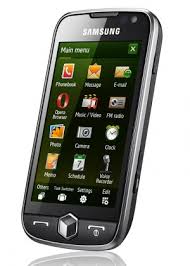
The Samsung Omnia 2 (or Omnia II) is coming to Verizon Wireless and it's going to be a really nice Windows Mobile smartphone. If you're familiar with the original Omnia, then I think you'll be impressed with the improvements you'll see in the Omnia 2:
  • Larger screen (4.3") with higher resoultion (800 x 480)
  • AM-OLED screen technology (may not be great when outside in the sun)
  • Will be upgradable to Windows Mobile 6.5 (even though you can find custom ROMs out there for the Samsung Omnia that have Windows Mobile 6.5)
  • Improved TouchWiz interface
If you're dying for an Apple iPhone but you're stuck on Verizon, I would suggest waiting for a Google Android smartphone. However, if you're more interested in running a variety of medical software, then I would suggest the Samsung Omnia 2. You won't get a hardware QWERTY keyboard, but you'll have a nice multimedia player smartphone.

Tuesday, August 25, 2009

Essential smartphone medical apps


What are the true "essential" apps (or applications) for medical students and residents? (by the time you're an attending, you shouldn't be relying on a smartphone, right?)

In some ways, I'm tempted to say, here are the essential medical software you need to survive:
  1. Epocrates
  2. Internet-enabled web browser (this way, you can look everything else up)
Of course, that would be the simple way of viewing things. You can't live without:
  • Medical calculators (which are often included within Epocrates)
  • If you can afford it, I would highly recommend UpToDate (web-based access is sufficient)
  • the rest of this list is highly dependent on your smartphone operating system.
Medical references can be invaluable. I would recommend things like the Merck Manual, the 5 Minute Clinical Consult, etc. However, if you have access to UpToDate online, then you won't need most of those.

Finally, the list of "essentials" really depends on your level of training. If you're a 3rd year medical student on a clinical rotation, your smartphone needs are different from an intern who's expected to stay very organized and keep up with a million tasks. Your smartphone needs will evolve over time and you'll find that certain apps lose importance as you memorize one thing and rely on another. For instance, some people love the Sanford Guide while other people don't know how to use it. So my list of "essentials" is relatively short because the Internet becomes the ultimate "essential."

Monday, August 24, 2009

HTC Hero may be Sprint's first Google Android smartphone


According to many circulating rumors, the HTC Hero may become the first smartphone on Sprint's wireless network to run the Google Android operating system. This appears to be a really nice phone with a large screen. No hardware keyboard buttons, but this may become the norm rather than the exception. On-screen keyboards are getting quite sophisticated and we quickly see more smartphones eliminating keyboard buttons to place them on the screen.

I've always been a fan of HTC phones. I think they make excellent products. You'll see high quality and innovative engineering in the designs of these phones. Google Android is still a "primitive" operating system for healthcare professionals who want a robust selection of medical software for their devices. However, I'm sure this trend will change quickly as more software developers release titles for Android. If you wish to be an early adopter, then go for the HTC Hero. Otherwise,

Sunday, August 23, 2009

An old smartphone makes a great standalone GPS


Many people don't understand how a GPS (Global Positioning System) works. Some think that some type of paid subscription service is always required if you wish to use a GPS. They don't understand that most standalone GPS devices are free to use once you buy the product.

I recently went on a road trip where I took an old smartphone that has a built-in GPS chip and used that as a standalone GPS navigator. I loaded TomTom software with U.S. maps and used this old Windows Mobile smartphone like a regular GPS in my car. The phone radio was off, so it was not connected to any network. It was great because this allowed me to use my current smartphone to make/receive calls, to look up traffic data on Google Maps, or check my e-mail (but not while driving of course).

So, if you have an old smartphone laying around, you may want to know if it has an internal GPS chip. Some smartphones (especially those on Verizon Wireless) may have a chip that's been disabled, but you may be able to enable it by doing a bit of searching online. To name a few examples: the Verizon XV6800, Verizon XV6900, and the Verizon Touch Diamond all have internal GPS chips that have been disabled (but can be enabled if you know what you're doing).

Saturday, August 22, 2009

Palm Eos this fall?


The Palm Eos will be the next smartphone running webOS and it may get released this fall. This won't be a slider. Instead, it will roughly resemble the old Palm Treo candybar model. However, it looks like the screen will be larger and the keyboard won't be curved. I think of the Eos as a bigger, but thinner Palm Centro. I still think the Palm Pre will be more popular than the Eos, but maybe the Eos will appeal to those who want a really thin device.

Friday, August 21, 2009

Lexi-Comp: medical software for smartphones


If you're looking for additional medical software for your smartphone, check out Lexi-Comp. Here's a little snippet from their website:

Lexi-Comp is the proven leader in clinical reference and decision support solutions for healthcare professionals, institutions, and healthcare technology companies:

  • Drug and Drug Interaction Information
  • Drug Allergy
  • Drug Therapy Duplication
  • Drug Dose Checking
  • Information on Diagnosis and Disease Management
  • Formulary Services
  • Patient Education Resources
  • Clinical Support Tools
Looking to renew, upgrade or purchase a Lexi-Comp subscription? If so, use Coupon Code: NN809 to save 10% on your next purchase. Coupon code is valid through 9/15/09. Purchase must be made at www.lexi.com or by calling (866) 397-3433.

Thursday, August 20, 2009

Hidden smartphone "gems" at Verizon Wireless


I don't understand why Verizon Wireless stores and kiosks don't stock more smartphones. They have a decent selection of Windows Mobile smartphones online, but if you walk up to a kiosk or go to an average store, you won't find some of the best smartphones that are available on Verizon Wireless. Why?

If you're on a budget and you don't need the "latest and greatest," then let me make a few suggestions for some great Verizon smartphones that are "hidden" from many people:
  • XV6900. This smartphone is made by HTC and is also known as the "Touch" or "Vogue." It's a simple smartphone, but it's snappy, small, light, and has a touch-screen. It runs Windows Mobile and has a built-in GPS (that won't work unless you "unlock" it by flashing custom ROMs and doing a bit of tweaking - not for beginners). The camera is nice if you want to take a picture of a patient's rash (get permission first). I have one and I really like it. No Wi-Fi on this tiny phone. Verizon is getting rid of them, so I don't know how much longer they will be around. You won't find this in any of the stores.
  • HTC Touch Pro. Here, Verizon decided to keep the name "HTC," even though this phone is also classified as the XV6850 (but I don't think anyone knows that). This slider is a great phone that also has a built-in GPS (Verizon unlocked it, so you're free to use it on Google Maps or TomTom). Touch-screen, Windows Mobile, and this device has a high resolution screen (may be a bit too high res for some of you). The camera on this device also includes an LED flash. You won't find this in any of the stores.
  • HTC Touch Diamond. This is like the Touch Pro, but it lacks the slide-out keyboard. So, this is a very thin phone that's like a "professional" version of the XV6900 with a high res screen. You'll get Wi-Fi and GPS (but you'll have to do a bit of tweaking to unlock the GPS) on this device. Simple camera without an LED flash.
So, what do we have in common with all these smartphones? They're all made by HTC, they all run Windows Mobile, they all have touch-screens, they all have cameras, and they all have an internal GPS chip (although you may need to do some modifying to get the internal GPS to work).

Why didn't I mention the HTC Ozone? You'll see this in the stores, but this smartphone lacks a touch screen. If you're planning on running medical software, you'll be much more productive if you have a smartphone that has a touch screen. Avoid getting anything that lacks a touch screen.

Keep in mind that several new smartphones are coming to Verizon this fall and next spring. So, if you're eager to have the latest devices, then you're better waiting until some of these new devices emerge.

Wednesday, August 19, 2009

Top free medical apps for the Apple iPhone


Here's yet another list of free medical apps for the Apple iPhone. This one is from ClinicalReader.com and you'll find a list of apps for the U.S. and for the U.K.

Here's the list of free apps:
* PsychTerms - Michael Quach
* Medscape - WebMD
* Epocrates - Epocrates
* uHear - Unitron Hearing Limited
* Medical Encyclopedia - University of Maryland Medical System
* MedCalc (medical calculator) - Mathias Tschopp & Pascal Pfiffner
* Skyscape Medical Resources - Skyscape
* EyeChart - Dok LLC
* Speed Bones Lite - Benoit Essiambre
* Relax with Andrew Johnson Lite - Michael Schneider
Here's the list of paid medical apps:
* The ECG Guide - QxMD Medical Software
* Police Scanner - Juicy Development LLC
* Grays Anatomy - LoL Software
* Medical Calculator - MarketWall.com
* iMurmur - Phalanx Development
* Relax with Andrew Johnson - Deep Relaxation - Sleep - Michael Schneider
* Diagnosaurus DDx - Unbound Medicine, Inc.
* ACLS Wiz - Advanced Cardiovascular Life Support and Basic Life Support - Current Clinical Strategies Publishing
* Anatomy Quiz - Alexander Mokrushin
* Lose Weight with Andrew Johnson - Michael Schneider
See the complete list of U.S. and U.K. apps here: http://iphone.clinicalreader.com/

Tuesday, August 18, 2009

Early Android adopters


Were you an early Google Android adopter? If you have a T-Mobile G1 running Google Android, you may be sad to know that additional updates beyond Android 1.5 may not "fit" on your device. The G1 doesn't have enough internal flash memory for an updated operating system. That's not to say that people may not develop custom ROMs that may fit, but you should not expect any type of official release from T-Mobile or HTC.

Now that we have several new phones running Google Android, why keep the G1? Upgrade to a newer, faster phone. Then, you can repeat that upgrading process in 1-2 years. And repeat it again, and again, and again... (how many smartphones have you had in the last 2-3 years?)

Monday, August 17, 2009

HTC Touch Pro: a great (free) medical smartphone


If you're on Verizon Wireless, you may qualify for a free upgrade on your phone. They've changed their "new every two" plan, so you may only get $30 or $50 of credit, but if you're an "old timer" like me, then you may qualify for $100 of credit towards a new phone. If you're thinking about getting a new smarphone, you should seriously consider the HTC Touch Pro (which is currently priced at $99). This phone used to be much more expensive, but the prices have been reduced because new Windows Mobile smartphones are about to come out this fall/next spring.

If you're not in a rush and you're willing to pay more, then I would encourage you to wait for the HTC Touch Pro 2. I'm not sure when this phone will be released on Verizon Wireless, but it's going to be better than the current Touch Pro.

I've been using the Touch Pro for a few days and I'm very impressed by this phone. I used to have an XV6800 and I really thought that the Touch Pro was going to be similar. However, the Touch Pro with the higher resolution screen and faster processor is really a considerable upgrade from the older XV6800 (aka as the HTC Titan or Sprint Mogul).

If you get a Touch Pro, make sure you load a custom ROM running Windows Mobile 6.5. You won't find an "official" version out there, but I've found that the custom ROMs that are "cooked" out there by enthusiasts work really well.

Here are the custom Windows Mobile 6.5 ROMs I've tried over the last several days:
  • MightyROM6
  • Juicy 8
  • DCD
  • SsS-ROM
  • EnergyROM Warhawk
  • NFSFAN (currently using this ROM)
Since Windows Mobile 6.5 is still in development, we will see updated versions of these ROMs over the next several months. My current phone has Build 23001 (although the latest ROMs are running Build 23028). I don't have time to update my phone every time a new build comes out, so I'll probably try this ROM for a few weeks.

Saturday, August 15, 2009

My impressions of Windows Mobile 6.5


Microsoft hasn't officially released Windows Mobile 6.5 yet, but we all know that it's coming out fairly soon. New phones running Windows Mobile 6.1 have an "Upgradable to Windows Mobile 6.5" sticker that suggests that they will get a free upgrade to Windows Mobile 6.5. It's analogous to purchasing a PC running Vista if you know you can get a free upgrade to Windows 7.

The sad thing about Windows Mobile 6.5 is that it really isn't a huge improvement from Windows Mobile 6.1. Also, I struggle to see why it's taking so long to release 6.5. If we look at some history, we see that Microsoft released:
  • Windows Mobile 5.0
  • then skipped to Windows Mobile 6.0
  • then they released an update called 6.1
  • and now we're waiting on yet another update called 6.5
Seems a bit absurd that they would have 3 different versions of Windows Mobile 6 (6.0, 6.1, and 6.5). Windows Mobile 6.5 makes some improvements (scrolling, icons, larger menu text, etc.), but it really isn't optimized for touch-based input/navigation/use. The amazing thing is that I continue to be a loyal Windows Mobile user hoping that Microsoft will come out with an OS that really is optimized for smartphones.

Friday, August 14, 2009

Verizon Wireless Offers Healthy Applications to Turn a Mobile Phone Into a Personal Trainer

I thought you might enjoy this press release, so here it is:

BASKING RIDGE, N.J., Aug. 12 /PRNewswire/ -- Summer is ending and there is no better time to begin healthy habits. Verizon Wireless customers can access multiple applications that help them stay healthy and in shape using their wireless phones.

Applications
* Bones in Motion records running, cycling and walking activities using GPS with maps, speed, distance, elevation, splits and calories. Save activities to a personal Web journal to view and share with friends. View local weather and current location.

* Diet Fitness Diary offers Calorie, Fat and Protein Counters that cover more than 500 food items; a Burn Meter containing more than 40 exercises; and a Body Mass Index tool. The diary also provides a cumulative summary of calorie intake and exercise for the previous three days.

* The Pill Phone provides critical information on a wide range of medications, including indications, dosing, side effects, drug interactions, and photos of medications. The Pill Phone also has the Medication Reminder feature, which allows for the scheduling of automatic reminders to ensure that doses are taken at the appropriate times.

* Healthy Body by AMA is an interactive guide where customers can work on getting a healthy body through diet and exercise. Healthy Body by AMA offers diet quizzes and ways to work towards a healthy body with a personalized plan.

* Howcast is a channel available on V CAST Video on Demand where customers can watch "how-to" videos. Howcast offers health and beauty tips through videos on V CAST Video-capable phones. The Howcast Channel can be found in the Information category in V CAST Video.
Bones in Motion, Diet Fitness Diary, The Pill Phone and Healthy Body by AMA are available for monthly subscriptions of $5.99, $2.49, $3.99 and $2.99 respectively and can be downloaded through the Media Center/Get It Now(R) on select Verizon Wireless phones. Airtime, data usage and messaging fees may apply during download and use of the applications. Unlimited Mobile Web usage is included with a $15.00 monthly V CAST VPak subscription, which also includes access to V CAST Video, V CAST Music and Media Center/Get It Now applications.

For more information about products and services from Verizon Wireless, visit a Verizon Wireless Communications Store, call 1-800-2 JOIN IN or visit www.verizonwireless.com.

About Verizon Wireless

Verizon Wireless operates the nation's most reliable and largest wireless voice and data network, serving 87.7 million customers. Headquartered in Basking Ridge, N.J., with more than 87,000 employees nationwide, Verizon Wireless is a joint venture of Verizon Communications (NYSE: VZ) and Vodafone (NYSE and LSE: VOD). For more information, visit www.verizonwireless.com. To preview and request broadcast-quality video footage and high-resolution stills of Verizon Wireless operations, log on to the Verizon Wireless Multimedia Library at www.verizonwireless.com/multimedia.

SOURCE Verizon Wireless

Flashing a custom ROM on my HTC Touch Pro


Yes, I'm now flashing a custom Windows Mobile 6.5 ROM on my Verizon Wireless HTC Touch Pro. I've done quite a bit ROM flashing in my life. First, it began with the XV6800 (aka, HTC Titan, Sprint Mogul). Then, I recently did some ROM flashing on the XV6900 (aka, HTC Vogue, Touch). Now, I'm flashing the ROM on my new HTC Touch Pro (aka, HTC Raphael).

Why all this custom ROM flashing? I originally did it to get the GPS working on my old XV6800. Now, I'm doing it to get the latest operating system: Windows Mobile 6.5

The GPS is already unlocked on the Touch Pro (thanks to an update provided by Verizon Wireless). I wish they would unlock the GPS on all their old phones too, but they're not doing that.

Haptic feedback on a smartphone touch screen


Over the last few weeks, I've had the chance to test a few devices that utilize various forms of haptic feedback when you're touching the screen to input data.
  • The BlackBerry Storm uses a "clickable" screen that acts like a button (SurePress technology). You have to press down on the screen like a large button to enter most of your data. This way, you're "sure" when you're entering data.
  • Several Windows Mobile devices use a tiny buzz/vibration each time you tap on the screen. This is something that is controlled via software, so you can customize it quite a bit. This feature is currently available on the Samsung Omnia and also on several HTC phones (through custom ROMs and TouchResponse over at XDA developers).
The Apple iPhone does not come with any haptic feedback. This feedback is probably most useful when you're typing on the screen. My guess is that future touch-screen devices will all incorporate some type of haptic feedback so that users can achieve a higher level of precision and efficiency when they type on the screen. I think it would be very fascinating to perform a study to evaluate the effects of haptic feedback on a touch screen. Would it improve accuracy and efficiency by 5%? 10%?

Thursday, August 13, 2009

I got the HTC Touch Pro from Verizon Wireless


No, not the Touch Pro 2. I got the original HTC Touch Pro from Verizon Wireless. In fact, I got this one for free. I tried the BlackBerry Storm and gave that a fair chance, but it didn't take very long before I quickly realized that I needed to go back to Windows Mobile. Now, I've replaced my old slider (XV6800, also known as the HTC Titan or Spring Mogul) with another slider. I really didn't want to do that, but I'd rather use a slider than spend any extra money. Why? Because at this rate, I'll probably upgrade to a new phone every two years with the credit provided by the "new every two" plan. I just hope that Verizon continues to keep their smartphone prices competitive with the Apple iPhone and Palm Pre. $99 for a smartphone isn't too bad. Free is even better.

So, the HTC Touch Pro has been around for a long time and there are many custom ROMs floating around out there. It has an unlocked GPS (or aGPS) so I can use TomTom or Google Maps without flashing a custom ROM. However, I still plan to load a custom ROM so that I can run Windows Mobile 6.5 and have an OS that is more touch-friendly. The HTC Touch Pro didn't get rebranded by Verizon as the XV6850. Instead, it was called the "HTC Touch Pro." That makes more sense, doesn't it? When phones get rebranded, it causes a tremendous amount of confusion.

I admit that it would have been nice to wait and get the Touch Pro 2, but I didn't want to wait and spend any money. Contrary to popular belief, I don't always need the "latest and greatest." I'd rather be practical and save money where I can. As long as the Touch Pro has the capabilities of what I need, I'm fine.

PC World reviews the Palm Pre


How did the editors at PC World rate the Palm Pre? They gave it an 82 (very good). They say: "A responsive touchscreen, an engaging interface, and a few flaws." Now, I'm referring to the PC World magazine. The website (PCWorld.com) reviewed the Palm Pre back in June and gave it an 87 (very good).

Pros:
  • Pre's webOS is gorgeous and easy to use
  • Highly responsive multitouch display
Cons:
  • Keyboard feels cramped and flimsy
  • Lacks removable memory
Going back to the magazine, the key components they highlighted included:
  • Hardware
  • WebOS
  • Social Networking Features
  • Multimedia
I really like the form factor of the Palm Pre. You get a nice large capacitive touch-screen device. The phone is a slider, but instead of a wide keyboard that requires both hands, you get a narrow one that could be managed using one hand. I was spoiled when I had my old Palm Treo. I used to type on that device using only one hand. It was very efficient when my other hand was tied up.

Although the Palm Pre has a really nice design, it lacks medical software right now. Unless you use an emulator that mimics the old original Palm OS, you really won't find much out there for webOS. Let's hope that quickly changes.

Wednesday, August 12, 2009

Do I miss the BlackBerry Storm that I had for a few days?


I don't miss the BlackBerry Storm. I tried it for a few days and I quickly realized that it wasn't the right smartphone for someone like me. Perhaps the Storm 2 will have more memory for apps. It's very misleading to advertise that you have 1 GB of storage when you only have 128 MB of "Flash" memory. Many people don't understand that you're really limited to only 128 MB of memory for apps. So, if you load some huge medical references, you'll be running out of space very quickly!

Do medical students need a smartphone data plan?


If you're a medical student, you probably have a smartphone. I predict that you have an Apple iPhone. That's currently the most popular smartphone among traditional medical students while the BlackBerry remains popular among non-traditional students who held corporate jobs.

These days, if you want to purchase a modern smartphone, you'll be obligated to also pay for a monthly data plan. There used to be rare exceptions to that rule, but those days are ending. A data plan can range from $30-60/month, so it's not a marginal amount for a medical student on a tight budget. I still remember those days. Data plans may not cover SMS (Short Message Service), so I suppose I'm mainly talking about web/e-mail access. SMS can be very useful when you're in the hospital because it's much easier to send short messages instead of paging each other and waiting for a return phone call. Who still uses alpha numeric pagers these days?

Most hospitals currently have Wi-Fi and Internet access, so it really doesn't make sense to have a data plan if you can hop on a computer terminal to check your e-mail. However, maybe I'm talking to the wrong generation of students. You may not have a data plan, but you probably have an unlimited SMS or texting plan. If you had a smartphone during college and/or high school, then you probably can't live without a data plan because you probably spend more time texting than calling. You'll probably take photos using your smartphone and then send them to your colleagues. So at the end of the day, maybe you don't need a data plan. Instead, you simply need a smartphone that has Wi-Fi capabilities with unlimited text/photo/video SMS.

Found someone's smartphone


Well, I didn't find it. My relative works in a retail store and she found someone's smartphone. It wasn't locked, so I looked at the owner information to see if I could return the phone to its rightful owner.

Don't learn lessons the hard way. If you're not in the habit of locking your smartphone, change that habit and start locking your smartphone. Don't store any sensitive data on that device that could easily drop out of your pocket or purse.

People probably lose their smartphones every day. I've been on airplanes where passengers have left their phone on the seat. I've been on trains where the same thing has happened. I've been in stores where people have left their phone on the shelf. Don't compromise your important information. Keep your data secure by locking your phone in case you ever lose it.

Tuesday, August 11, 2009

Tip: multitasking on the BlackBerry


If you're using a BlackBerry, do you multitask on your device? Are you constantly switching among several different applications? One easy way to switch from one app to the next is to hold the BlackBerry menu button. You'll see a small window pop open (it's the task manager) and you can scroll around and jump from one program to another.

If you're running Epocrates on your BlackBerry, you'll see that Epocrates is always running in the background. So, whether you're in your calendar or a web browser, it's easy to jump right to Epocrates by holding the BlackBerry menu button and looking for that blue "e."

Verizon XV6900 smartphone for $9.99


If you're on Verizon Wireless and you're looking for a small touch-screen smartphone running Windows Mobile, then you may want to consider the XV6900 that's only $9.99. It's certainly not the latest or greatest, but it could be a practical option if you're on a tight budget (medical students, did you catch that?). Besides, if you enroll in the "new every two" plan, then you will qualify for an upgrade in two years and smartphones will certainly be much better in two years. Why spend $100-200 for a phone that's probably only going to last 2 years when you can spend $10, right?

You're not going to find the XV6900 in stores. It's only available online (while supplies last). This phone is actually made by HTC and is also known as the HTC Touch, HTC Vogue, or HTC Elf.

Verizon has disabled the built-in GPS on the XV6900, but there are ways you can get around that if you're daring and tech-savvy enough to flash the ROM on your device. You'll even find developers working on custom ROMs running Windows Mobile 6.5.

Here's one other interesting fact about the XV6900 - I believe it's the last smartphone on Verizon Wireless running Windows Mobile that does NOT require a data plan (technically, you sign up for the pay-as-you-go option and that's $0 per month as long as you never use it). If you want to get any other smartphone on Verizon Wireless, you'll have to spend at least $30/month for the data plan alone.

Windows Mobile 6.5 build 23022 on video

Interested in seeing the latest build of Windows Mobile 6.5? Watch this video to see how touch-friendly this operating system is becoming. Soon, the stylus pen will be a thing of the past.

It still makes me laugh when I think about the evolution of this OS. First, we had Windows Mobile 6. Then, we saw 6.1 (very minor updates). Now, we're all getting excited about Windows Mobile 6.5. I wonder if we'll see a 6.7 or 6.8 before Windows Mobile 7 gets released.

Monday, August 10, 2009

Best Windows Mobile smartphone on Verizon Wireless


Verizon Wireless has some new smartphones coming out this fall. For now, they have a limited selection of touch-screen smartphones running Windows Mobile. Their best smartphone (and well-kept secret) may be the Samsung Saga. This slim smartphone resembles the old Palm Treo. It has a square screen, built-in keyboard on the bottom half of the device, and several hardware buttons. Why do I think it's currently the best smartphone for healthcare professionals stuck on the Verizon network? I say this because the Palm Treo was such a success among medical students, residents, and attendings who needed a smartphone. I miss my old Treo 700wx running Windows Mobile.

The keyboard buttons are small and the battery life is limited, but you can get an extended battery. The device also has a built-in GPS so you can use this as a GPS navigator.

The new Windows Mobile phones running Windows Mobile 6.5 should be really nice. I know that we'll be seeing updated versions of the HTC Touch Pro, the Samsung Omnia, and probably a few others. If you're able to wait, that's the best option (in my opinion). As for me, I'm still trying to figure out what to do since my current phone needs to be replaced.

My weekend at the Verizon Wireless store


Over the weekend, I spent some time at a full-service Verizon Wireless store. The only touch-screen Windows Mobile phones in the store were:
  • Samsung Omnia
  • Samsung Saga
They also had the HTC Ozone, but this smartphone doesn't have a touch screen. Then, I asked a salesperson why they didn't have the HTC Touch Diamond or HTC Touch Pro in the store. No demo unit, no test unit, nothing.

Why don't they stock more Windows Mobile devices? They're really pushing the BlackBerry smartphones, but those aren't as ideal for medical professionals who need to run a larger variety of medical apps. If you're mainly using your smartphone for e-mail and the web, then a BlackBerry will do just fine. However, if you're interested in having a wide selection of medical references, then you're really limited by the BlackBerry.

Sunday, August 09, 2009

Testing Windows Mobile 6.5 Build 23017


I've been testing Windows Mobile 6.5 for the last week on my Verizon Wireless smartphone. It's an older phone made by HTC and it's branded as the XV6800, but it's really an HTC Titan. I wasn't expecting stellar results because of the relatively slow processor and limited RAM, but I have to admit that it runs quite efficiently. It's a bit slower compared to Windows Mobile 6.1, but I really like some of the new features. I'm currently testing Build 23017 and I'd like to thank the guys at PPCGeeks.com for providing custom ROMs for the XV6800. Build 23022 is out, but it's not ready for mass testing yet.

Some of the nice features found in Windows Mobile 6.5 include:
  • Larger menus for finger touch-friendly navigation (forget using that stylus pen)
  • Improved "Today" screen for better finger-touch navigation options
  • Touch-friendly icons in the "Start" menu. The actual menu is gone and you're left with icons. This reminds me of the original Palm OS in some ways. Most smartphone operating systems use this type of icon placement and don't use a traditional "Start" menu (or cascading menu).
  • Panning improvements for finger-touch scrolling
  • Better Pocket Internet Explorer (I still prefer the Skyfire mobile web browser). You'll see zooming capabilities and other performance improvements.
Since my old XV6800 isn't considered a phone capable of technically running Windows Mobile 6.5, these tests will be limited. However, I do plan to upgrade my phone and I anticipate that my next smartphone will be better suited to run Windows Mobile 6.5. By the way, I'm also using the built-in GPS on the XV6800 and I'm getting a fast satellite lock within a matter of seconds. Once I upgrade my phone, I'll be using this XV6800 as a standalone GPS navigation unit.

Top 5 posts from last week on MedicalSmartphones.com

Here are the top 5 posts from last week here on MedicalSmartphones.com
  1. What's the Best Smartphone for Physicians?

  2. 7 Useful, Free iPhone Apps for Medical Professionals

  3. Best smartphone operating systems for physicians

  4. BlackBerry Storm: my initial impressions

  5. Tethering on Verizon Wireless

Saturday, August 08, 2009

Doctors, Use Your Smartphones More Wisely

This is a guest post by Adrienne Carlson.

Doctors, Use Your Smartphones More Wisely

There has been a surge in the number of people who now own smartphones, especially those connected to the medical field. More and more doctors and other healthcare professionals are taking to these gadgets like a duck takes to water. If it’s not the iPhone, it’s the BlackBerry or the Samsung Omnia. There are options galore, applications aplenty, and physicians are tapping into their tech savvy side in order to explore all the features and advantages that these devices offer.

While this is certainly good news for both the smartphone industry (sales increase) and the medical community and patients (doctors have faster and more efficient access to information which in turn benefits the patient), physicians sometimes fail to exercise the necessary caution when using these devices. They are often guilty of:
• Storing information that is sensitive: If you’re thinking of loading all your patient data on your phone so that you can access it at the click of a button, then you’re failing to protect your patients adequately. Phones are small gadgets that are easily lost or stolen, and if this information falls into the wrong hands, you could be guilty of violating privacy laws like the HIPAA. What you could do in order to keep the information at your fingertips is to set up a link to your EMR using a secure password and an application that allows you to do the same. This way, you retain access and protect your patients’ privacy in one shot.
• Failing to protect your data: Some doctors do prefer to have all the information on their phone; so in these cases, it’s up to them to install the necessary software to protect their phones from being hacked even if they are stolen or misplaced. Most smartphones come with built-in protective features that erase all data on your phone if an incorrect password is entered more than thrice. If your phone is not protected, invest in third party applications that offer similar options. At the same time, ensure that you don’t end up erasing all the information yourself by inadvertently entering the wrong password.
• Loading too many applications on their phone: There are hundreds of thousands of apps that have been developed for the iPhone and other smartphones, most of which are useful and some of which are just for entertainment value. When you download apps to your phone, ensure that you don’t tax your memory or add them when you’re not going to use them at all.
When you use your smartphone more wisely, you gain more benefits from it.

This guest article was written by Adrienne Carlson, who regularly writes on the topic of radiography technician schools. Adrienne welcomes your comments and questions at her email address: adrienne.carlson1@gmail.com

Verizon XV6975 (HTC Whitestone)


Will the Verizon Wireless XV6975 (HTC Whitestone) appear next month? Verizon has already slashed the prices on most of its Windows Mobile smartphones, so new smartphones must be right around the corner.

According to the folks over at Brighthand:
The Whitestone will be the successor to the HTC Touch HD, and will have much in common with its predecessor, including a WVGA screen, mobile broadband, and a tablet design. Windows Mobile 6.1 Pro, 256 MB of RAM, 528 MHz processor, 5 MPx camera, and GPS. It will have a focus on multimedia, and include a small stand so it can hold itself upright when playing movies.
I imagine that it will also qualify for a Windows Mobile 6.5 upgrade once that operating system gets released by Microsoft. I think this smartphone will be a great option for healthcare professionals who are looking for a fast, slim tablet (candybar) that lacks a built-in hardware keyboard. If you like the iPhone design and want to run Windows Mobile, this may be the phone for you! Image source: Brighthand

Friday, August 07, 2009

PdaNet on the BlackBerry Storm for Tethering


In the short time that I was testing the BlackBerry Storm, I also had a chance to try the June Fabrics PdaNet tethering software. Did it work? Yes. However, the current version only works on 32-bit Windows operating systems. Therefore, if you have a newer machine that runs a 64-bit OS (such as Vista or Windows 7), then you're out of luck (until they develop a 64-bit driver). Since I've been testing both 32-bit and 64-bit Windows 7 on my Lenovo Thinkpad X200 tablet PC, I was able to use BlackBerry version of PdaNet on the 32-bit version but not on the 64-bit version.

If you're a BlackBerry user, please note:
Currently version 1.20 requires OS 4.6 or above so it only works on the BlackBerry Tour, Storm or Bold phones. Please try out the software and make sure it works for you before making the purchase.
I wonder what will happen with OS 5.0 comes out. I can't imagine that PdaNet will stop working, but I haven't performed any tests yet. I've been a PdaNet user for several years and I can say that the product works fairly well. I'm not tethering all the time, but when I need it, it works. I've personally used PdaNet to tether on the Palm OS, Windows Mobile, and BlackBerry. They also have PdaNet for Google Android and Apple iPhone. I imagine they'll be coming out with PdaNet for webOS sometime in the future.

How to "hard reset" the BlackBerry Storm and wipe it clean


By "hard reset," I mean: restore back to factory settings. I'm wiping my BlackBerry Storm clean so that I can send it back to Verizon. Here's how you perform a hard reset:

Go to the main menu.
Tap Options -> tap Security Options -> tap General Settings -> press the BlackBerry button (also known as the menu button) -> tap "Wipe Handheld" and check "Include 3rd Party Applications" -> tap Continue and follow the instructions by typing "blackberry" -> wait as the device resets.
I removed the microSD card to erase that manually.

Yes, I've decided to send the BlackBerry Storm back to Verizon. I'm going to get a Windows Mobile phone. I have relied too heavily on the Windows Mobile OS. I have too many purchased apps and I thought I could live without them by moving to BlackBerry, but I've quickly realized that I'm destined to go back to Windows Mobile. Here are the main reasons why I decided to give up the Storm:
  1. A reboot time of 5 minutes and 30 seconds is not acceptable.
  2. Although the device has 1 GB of storage memory for media files (plus 8 GB of storage on the microSD card), it only has about 120 MB of space for apps. That's very faulty. I maxed out very quickly by installing just a few apps.
  3. Not enough medical apps for me. Some people can just live with using a few medical apps, but not me. I've been using medical apps on my PDA/smartphone for almost 10 years.
  4. I got used to typing on the screen with the on-screen keyboard, but I'm still someone who can be much more productive typing on a physical keyboard (or thumb board).
Related posts:

Thursday, August 06, 2009

Creative Zii Egg: Handheld StemCell Computer


What is the Creative Zii Egg? It looks like an Apple iPhone, but it's not a phone. It's advertised as the "World's 1st Handheld StemCell Computer." It will include the Opera mobile web browser, but it's more than a mobile internet device (MID). It has cameras on both sides (HD and VGA). It's the first device running Plaszma OS and it's branded as "Google Android ready."

I'm not entirely sure what StemCell computing means, but it sure sounds interesting:
  • Super-charged Android using StemCell Computing Technology
Here's a small blurb about StemCell computing from Zii.com:
Introducing the ZMS-05 media-rich processor, this nano-sized chip that marks a brand new era in technology: StemCell Computing. A complete solution, the ZMS-05 chip offers incredible flexibility, excellent energy efficiency and maximal scalability. Discover the incredible benefits of nano-sized supercomputing and how it can transform your everyday life.
The Zii Egg will have Wi-Fi and an internal GPS, so at the end of the day, maybe this provides us with a glimpse of the next iPod touch. As more of these handheld evolve into GPS navigation systems, I often wonder what will happen to the standalone car navigation systems made by TomTom, Garmin, Magellan, and others.

BlackBerry Curve 8520 is on T-Mobile


The BlackBerry Curve 8520 is now on T-Mobile. Unlike the BlackBerry Storm, the Curve does NOT have a touch screen. Therefore, navigation is limited because you can't tap on the screen. On the BlackBerry Storm, you can actually use some multi-tap gestures to increase your productivity. For instance, you can highlight an entire section by using some multi-tap gestures. If you're a healthcare professional (or student), get a smartphone that has a touch screen. It will make your life so much easier when you're actually using your device as a medical reference.

Transitioning from Windows Mobile to BlackBerry


I've been a Windows Mobile user for so many years that I've learned many tips and 'secrets' about the operating system. I can be very efficient and I know which critical apps I need to be productive during the day.

One of the problems with the BlackBerry is the paucity of apps that are currently out there. Compared to Windows Mobile, the BlackBerry Storm has few apps that I depend on. However, I see that this trend is slowly changing.

The Storm is a great phone for people who need a corporate smartphone. If you're using something for work and you're mainly checking e-mails and keeping a calendar, then the BlackBerry is the optimal device. However, if you need something for work, entertainment, GPS navigation, and other personal uses, then that's where Windows Mobile has an edge.

I'm torn by indecision. Why? Because my Windows Mobile options are very limited. If I keep this Storm, will I regret that decision in several months?

Wednesday, August 05, 2009

T-Mobile myTouch 3G running Google Android is now available


The T-Mobile myTouch 3G is now available! It's the second phone running Google Android. Although there aren't that many medical apps for Android right now, that will certainly change over the next few months. So, if you're OK using a mobile web browser as your main source of medical information, then you may be fine with the myTouch 3G. Otherwise, I suggest that you wait before you get a smartphone running Google Android.

How long does it take for your BlackBerry Storm to reboot?


How long does it take for your BlackBerry Storm to reboot? I did a simple test and timed my device rebooting. Want to take a guess?

It took roughly: 5 minutes and 30 seconds to reboot!

I couldn't believe it, so I did it again. It took the same length of time to reboot. By comparison, a reboot on my Windows Mobile smartphone takes 1 minute 10 seconds.

I'm not talking about a hard reset. I'm talking about a simple reboot that's often required when you install or uninstall a new app. You can do this either through software (QuickPull) or by physically removing the battery. The Storm doesn't have a reset button (it doesn't have a stylus, so it probably doesn't make sense to include a tiny button).

So if your phone freezes or crashes and you have to do a reset, then prepare to wait for 5 min 30 sec before your phone comes back to life. That's just not acceptable and I don't think that BlackBerry OS 5 will make any significant improvements.

I'm starting to have some more doubts about this device. I'd really like to give the BlackBerry Storm a fair chance. However, I'm used to certain things and I've been using Windows Mobile for many years. Used properly, Windows Mobile devices can lead to much more productivity. The problem I'm having is that Verizon Wireless currently doesn't have a great selection of other smartphones. There are new Windows Mobile smartphones coming out this fall, but I'm not going to pay a premium just to have those features.

Palm Pre launching in Canada this month

According to the various sources, the Palm Pre running webOS will be launching in Canada this month. Canada's Bell Mobility will offer the Palm Pre starting on August 27. You can expect to see a GSM version for the rest of the world coming out before the holidays.

Here in the U.S., the Palm Pre is now available through Amazon for $199.99.

Tuesday, August 04, 2009

BlackBerry Storm: my initial impressions


So the BlackBerry Storm is an old phone and it's been reviewed by many people on the Internet. However, since I recently switched from Windows Mobile to BlackBerry, I'm writing from the perspective of a former Windows Mobile user.

I've played around with the Storm extensively, but I've never used it as my personal smartphone until today. I'm not your average user who occasionally uses the browser an app here and there. I'm constantly using my smartphone for e-mail, web browsing, GPS, notes, etc.

So, here are 10 of my initial impressions after using my BlackBerry Storm for a few hours:
  1. I miss the ability to use a stylus. Since the Storm uses a capacitive touch screen, it has no stylus. You use your finger instead. Hence, no more drawing or scribbling notes on the screen.
  2. I miss having a scroll bar. When you install a new app, you often have to scroll through all the disclaimer/agreement/legal stuff and then hit "agree/accept" before you can move forward. You can sometimes bypass the scrolling by hitting the "MENU" button and then you'll see an option to accept/reject. However, this option isn't always available. If I had a scroll bar, I could simply tap my stylus and quickly scroll to the end of the page.
  3. I miss the ability to double tap on the word and highlight/select it. This is useful when you're trying to delete an entire word or if you're performing a copy/paste. This double tapping to highlight/select is not there on the BlackBerry.
  4. I miss having physical keyboard buttons. The Storm uses an on-screen keyboard. It's just not the same.
  5. I miss having space on the screen that isn't occupied by the large on-screen keyboard buttons. In landscape mode, the keyboard fills over 50% of the screen. You're left with a small "sliver" of a screen where you can see/navigate.
  6. I miss having a single button that I can click to make the on-screen keyboard appear/disappear.
  7. I miss having more memory for apps. Although the Storm comes with an 8 GB microSD card, you can't load apps on that card. Instead, you're only given 128 MB or RAM for your apps. I've only had my phone for a few hours and I've already filled 110 MB of that space. 18 MB left.
  8. I miss having the ability to edit Word/Excel files. I realize that if I purchase Documents to Go Premium, I can have this ability. But why pay for something that should be a standard feature?
  9. I miss the ability to close programs (vs. just minimizing them) with a single tap. By closing programs, you free up more memory. On the BlackBerry, you can still close programs, but it takes a bit more work. On Windows Mobile, you can install little free apps that make it much easier for you to close apps.
  10. I miss running my Windows Mobile apps. Which apps? TomTom navigator (for GPS navigation) along with medical and productivity apps. The nice thing with staying with Windows Mobile is that I don't have to repurchase the apps that I currently have. By switching to BlackBerry, I have to purchase a number of apps that I already own.
So, those are my initial impressions. Am I planning on keeping this phone? I have 30 days to test it, but I don't think I'll need 30 days to decide. I think that by the end of the week, I'll make my decision. After all, the prices on Windows Mobile phones have dropped significantly on Verizon Wireless so I may go with the HTC Touch Pro (even though I really don't want another slider).

Verizon drops prices on smartphones


Just after I ordered the BlackBerry Storm, Verizon Wireless dropped the prices on several of their main Windows Mobile smartphones, including:
  • HTC Touch Diamond
  • HTC Touch Pro
  • Samsung Omnia
These are now available for $99.99! That's the same price as the BlackBerry Storm!

Monday, August 03, 2009

Migrating from Windows Mobile to BlackBerry


I've been using Windows Mobile for many years and I have not had to think about migrating to a different operating system. Now that I'm switching to the BlackBerry Storm, I have to get all my data ready so that I don't lose any critical data.

Step 1:
So, the first stage in migrating from Windows Mobile to BlackBerry is to ensure that all my critical Personal Information Management (PIM) data is preserved. Since I use Microsoft Outlook, that's easy. All of my calendar and contact info should synchronize just fine.
Step 2:
None of my Windows Mobile applications (or apps) will run on BlackBerry, but I can probably find some equivalents. I'll start with medical apps such as Epocrates and other medical references. Then, I'll play around with GPS navigation and Twitter apps. I also plan to test PdaNet for tethering.
Step 3:
Accessories. I won't be purchasing any accessories until I'm certain that I'll be keeping my new Storm. Since the Storm uses a micro USB data/charging port, I won't need to get any proprietary chargers. I may also get some micro-to-mini USB converters that will allow me to use all my old mini USB chargers.
Well, let's see how the next few weeks go as I switch to BlackBerry. Expect many BlackBerry-oriented blog posts from me unless I decide to switch back to Windows Mobile.

Sunday, August 02, 2009

Tethering on the beach


OK, I'm not actually on the beach. But I'm sitting in my hotel room which is right next to the beach and I'm tethering using my Verizon Wireless smartphone to get my laptop online. That's how I'm writing this short little blog post. While others are taking a nap, I'm doing some work and tethering to stay connected.

Although my laptop has a built-in WWAN card (AT&T), I don't use it enough to justify the added cost of paying for that service. Therefore, I simply use my smartphone to tether and that works just fine. I can tether using either Bluetooth, Wi-Fi, or USB. The main benefit of using USB is that you'll get a faster connection and you can charge the battery on your smartphone. Using Bluetooth or Wi-Fi to tether will drain the battery on your smartphone. Tethering is the most economic way to stay connected if you have a smartphone and a laptop/netbook/UMPC/tablet/etc.

Saturday, August 01, 2009

Top posts for July on Medical Smartphones

At the end of July, I decided that it was time for me to get a new smartphone. It hasn't arrived yet, but you can expect a ton of posts regarding the BlackBerry Storm in August. I even though about renaming MedicalSmartphones.com to MedicalBlackBerry.com, but I decided that in a few years, the BlackBerry will simply be considered another smartphone. Who knows, maybe the iPhone will infiltrate the corporate world and beat out the BlackBerry.

I want to thank those who submitted a guest post this month. Here are the top posts for July:
  1. What's the Best Smartphone for Physicians?

  2. 7 Useful, Free iPhone Apps for Medical Professionals

  3. Best smartphone operating systems for physicians

  4. Does Epocrates run on a BlackBerry?

  5. Medical apps for the iPhone - how far have we come?

  6. Tethering on Verizon Wireless

  7. Epocrates on the BlackBerry

  8. Apple iPhone, BlackBerry Storm, or Palm Pre?

  9. Free Skyscape Medical Software

  10. Top Free Medical iPhone Application

44% of my site traffic comes from search engines. What are people looking for? Also, Twitter continues to lead the pack as my #1 referring website, thanks to my 17,000+ followers. I gained roughly 4,000 followers in the month of July, and that includes the 500+ I lost when Twitter removed spammers. What will August look like?

Why I didn't get the Samsung Omnia on VZW


It's time to get a new phone. I'm on Verizon Wireless, so my options are limited. I thought that I was going to get the Samsung Omnia (which is a great phone, but now the phone for me), but here are the reasons why I didn't get it:
  1. It's now on closeout at Verizon Wireless. This means they won't be getting any more new ones. What they have is it. They're now waiting for the Omnia 2.
  2. I doubt we'll see Windows 6.5 for it (unless you load a custom ROM).
  3. No built-in stylus. Instead, it has this stylus that hangs on a dongle. Since it's a passive touch screen device running Windows Mobile, there are times when you definitely need to use a stylus.
  4. Proprietary charger/connector. I thought we were all supposed to be using micro USB. I really don't want to go out and get new chargers/adapters. I want my next device to have micro USB so that I can use all my existing mini USB chargers (with a mini USB to micro USB adapter).
  5. Too expensive. I can get the BlackBerry Storm for free. Why pay an extra $100 for the Omnia?
Don't get me wrong now. The Samsung Omnia is a great phone and the Omnia 2 is going to be an even better phone, but these small things make it a "no go" for me. Therefore, I'm left really with one option: the BlackBerry Storm. I've been a Windows Mobile user since the early days of Windows CE. Time to make the switch.