Showing posts with label aGPS. Show all posts

Sunday, August 23, 2009

An old smartphone makes a great standalone GPS


Many people don't understand how a GPS (Global Positioning System) works. Some think that some type of paid subscription service is always required if you wish to use a GPS. They don't understand that most standalone GPS devices are free to use once you buy the product.

I recently went on a road trip where I took an old smartphone that has a built-in GPS chip and used that as a standalone GPS navigator. I loaded TomTom software with U.S. maps and used this old Windows Mobile smartphone like a regular GPS in my car. The phone radio was off, so it was not connected to any network. It was great because this allowed me to use my current smartphone to make/receive calls, to look up traffic data on Google Maps, or check my e-mail (but not while driving of course).

So, if you have an old smartphone laying around, you may want to know if it has an internal GPS chip. Some smartphones (especially those on Verizon Wireless) may have a chip that's been disabled, but you may be able to enable it by doing a bit of searching online. To name a few examples: the Verizon XV6800, Verizon XV6900, and the Verizon Touch Diamond all have internal GPS chips that have been disabled (but can be enabled if you know what you're doing).

Thursday, August 13, 2009

I got the HTC Touch Pro from Verizon Wireless


No, not the Touch Pro 2. I got the original HTC Touch Pro from Verizon Wireless. In fact, I got this one for free. I tried the BlackBerry Storm and gave that a fair chance, but it didn't take very long before I quickly realized that I needed to go back to Windows Mobile. Now, I've replaced my old slider (XV6800, also known as the HTC Titan or Spring Mogul) with another slider. I really didn't want to do that, but I'd rather use a slider than spend any extra money. Why? Because at this rate, I'll probably upgrade to a new phone every two years with the credit provided by the "new every two" plan. I just hope that Verizon continues to keep their smartphone prices competitive with the Apple iPhone and Palm Pre. $99 for a smartphone isn't too bad. Free is even better.

So, the HTC Touch Pro has been around for a long time and there are many custom ROMs floating around out there. It has an unlocked GPS (or aGPS) so I can use TomTom or Google Maps without flashing a custom ROM. However, I still plan to load a custom ROM so that I can run Windows Mobile 6.5 and have an OS that is more touch-friendly. The HTC Touch Pro didn't get rebranded by Verizon as the XV6850. Instead, it was called the "HTC Touch Pro." That makes more sense, doesn't it? When phones get rebranded, it causes a tremendous amount of confusion.

I admit that it would have been nice to wait and get the Touch Pro 2, but I didn't want to wait and spend any money. Contrary to popular belief, I don't always need the "latest and greatest." I'd rather be practical and save money where I can. As long as the Touch Pro has the capabilities of what I need, I'm fine.

Sunday, August 09, 2009

Testing Windows Mobile 6.5 Build 23017


I've been testing Windows Mobile 6.5 for the last week on my Verizon Wireless smartphone. It's an older phone made by HTC and it's branded as the XV6800, but it's really an HTC Titan. I wasn't expecting stellar results because of the relatively slow processor and limited RAM, but I have to admit that it runs quite efficiently. It's a bit slower compared to Windows Mobile 6.1, but I really like some of the new features. I'm currently testing Build 23017 and I'd like to thank the guys at PPCGeeks.com for providing custom ROMs for the XV6800. Build 23022 is out, but it's not ready for mass testing yet.

Some of the nice features found in Windows Mobile 6.5 include:
  • Larger menus for finger touch-friendly navigation (forget using that stylus pen)
  • Improved "Today" screen for better finger-touch navigation options
  • Touch-friendly icons in the "Start" menu. The actual menu is gone and you're left with icons. This reminds me of the original Palm OS in some ways. Most smartphone operating systems use this type of icon placement and don't use a traditional "Start" menu (or cascading menu).
  • Panning improvements for finger-touch scrolling
  • Better Pocket Internet Explorer (I still prefer the Skyfire mobile web browser). You'll see zooming capabilities and other performance improvements.
Since my old XV6800 isn't considered a phone capable of technically running Windows Mobile 6.5, these tests will be limited. However, I do plan to upgrade my phone and I anticipate that my next smartphone will be better suited to run Windows Mobile 6.5. By the way, I'm also using the built-in GPS on the XV6800 and I'm getting a fast satellite lock within a matter of seconds. Once I upgrade my phone, I'll be using this XV6800 as a standalone GPS navigation unit.

Thursday, April 30, 2009

Do You Love or Hate Your Smartphone?


My friend hates his smartphone. I can't say that I love mine, but I also don't hate it. It does its job and every time I get a new smartphone, I think about which features I liked and disliked about my old one. This way, I can almost imagine what my next one "should" be like.

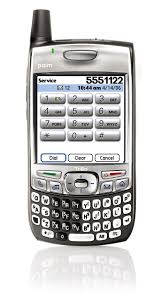
For instance, I started with a Treo 700wx (Windows Mobile). It was a "candybar" design. Nothing slides in or out. No flips. It was a nice phone, but it was bulky. It had a small screen and the buttons were small, but I could use it with one hand. No Wi-Fi, slow EV-DO speeds. No GPS.

Now, I have a slider phone (the Verizon XV6800, AKA Sprint Mogul or HTC Titan or PPC6800). This phone is roughly the same size. It has a larger screen and since the keyboard slides out, the buttons are larger. This one has Wi-Fi (which I hardly use), fast EV-DO speeds (great for tethering), and has a built-in GPS (if you load a custom ROM and radio).

I'm hoping that my next phone will be more like the Treo in terms of design/form/function. I hope it's thinner than the Treo, but it will need an internal aGPS (I've grown to depend on this so much, especially when I travel and drive in a new city). Fortunately, there are currently several phones that I can select that would meet my "requirements." However, I'm not in the market to purchase a new phone, so I'll wait patiently.