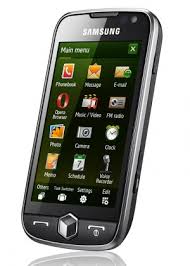
Showing posts with label Omnia 2. Show all posts

Sunday, January 03, 2010

Swype for Android

Swype (not Skype) is an innovative touch keyboard that allows you to enter words without lifting your finger off the screen surface. Here's what Swype offers:
Swype provides a faster and easier way to input text on any screen. With one continuous finger or stylus motion across the screen keyboard, the patented technology enables users to input words faster and easier than other data input methods—at over 50 words per minute. The application is designed to work across a variety of devices such as phones, tablets, game consoles, kiosks, televisions, virtual screens and more.
Swype comes on the Samsung Omnia II running Windows Mobile 6.5, but there's a preview version out there for Android. You can learn more about that preview here.

Friday, December 04, 2009

Samsung Omnia II getting some mixed reviews?


The Samsung Omnia II launched earlier this week and I've been seeing some mixed reviews about this smartphone. Some feel that the Swype technology works well while others don't seem to care for it. Most like the AMOLED display (but you can expect poor visibility when you're outside). The software running the user interface seems to be associated with a love/hate relationship. The widgets drain your memory and may slow things down. I think I prefer the HTC interface called TouchFLO. The lack of a built-in stylus? Well, my HTC Touch Pro2 has a stylus, but I rarely use it since I'm almost always using my finger to navigate on this device. However, if you're planning on running Epocrates, plan to use a stylus (note that Epocrates does not currently run on Windows Mobile 6.5, so you'll have to wait before you can get it to run on the Samsung Omnia II).

Let's see what happens as more reviews get published over the next week.

Wednesday, December 02, 2009

Samsung Omnia II is now available


The Samsung Omnia II is now on Verizon Wireless. This smartphone features a unique touch-screen typing experience called Swype technology. No need to lift your finger off the screen as you type. The AMOLED display should improve battery life as well. Now if you're looking for a smartphone that has a nice digital camera, how does 5 MP sound? You'll get a flash as well! (I really miss having an LED flash on my phone because it becomes a great flashlight when you're in the dark).

This phone is not a slider, so you won't see any type of hardware QWERTY keyboard. However, maybe the hardware QWERTY keyboard will become obsolete as smartphones rely on touch-screen input.

Tuesday, December 01, 2009

Free Samsung Omnia on Verizon Wireless


In anticipation of the new Samsung Omnia 2, the original Omnia is now available for FREE if you purchase it online from Verizon Wireless. Otherwise, it's $49.99. This smartphone is running Windows Mobile 6.1, but you may find a custom ROM out there that has 6.5.

This is a decent smartphone that has a relatively small screen (compared to the newer Windows Phones like the HTC Touch Pro2, the HTC Imagio, or even the Android phones like the Motorola Droid and the HTC Droid Eris). If you want a great deal on a smartphone that has some nice features, the Omnia is a good choice at a bargain price. If you can afford to wait and you're willing to spend a bit, then the Omnia 2 will be a much better choice.

Saturday, November 21, 2009

Samsung Omnia II coming to Verizon in early December


It appears that the Samsung Omnia II will be coming to Verizon in early December. The Omnia II will be similar to the HTC Imagio. No slide-out QWERTY keyboard. Touch screen and Windows Mobile just like many other smartphones. So what will make the Omnia II unique? The AM-OLED display and the TouchWiz user interface.

The Omnia II will be a significant improvement over the original Samsung Omnia. You'll get a larger screen and some really nice feature improvements. Would it justify an upgrade if you're currently using the Omnia? I suppose the answer really depends on your budget and on how you're currently using your smartphone. If you really want Windows Mobile 6.5 on your Omnia, then you can load a custom ROM (as long as you know what you're doing). If you want a larger screen, then you'll need to upgrade to the Omnia II (or an HTC Imagio or Touch Pro2 if you want to stay with Windows Mobile).

It's great to see that Verizon is finally bolstering its smartphone selection.

Wednesday, August 26, 2009

Samsung Omnia 2 on Verizon Wireless


The Samsung Omnia 2 (or Omnia II) is coming to Verizon Wireless and it's going to be a really nice Windows Mobile smartphone. If you're familiar with the original Omnia, then I think you'll be impressed with the improvements you'll see in the Omnia 2:
  • Larger screen (4.3") with higher resoultion (800 x 480)
  • AM-OLED screen technology (may not be great when outside in the sun)
  • Will be upgradable to Windows Mobile 6.5 (even though you can find custom ROMs out there for the Samsung Omnia that have Windows Mobile 6.5)
  • Improved TouchWiz interface
If you're dying for an Apple iPhone but you're stuck on Verizon, I would suggest waiting for a Google Android smartphone. However, if you're more interested in running a variety of medical software, then I would suggest the Samsung Omnia 2. You won't get a hardware QWERTY keyboard, but you'll have a nice multimedia player smartphone.

Saturday, August 01, 2009

Why I didn't get the Samsung Omnia on VZW


It's time to get a new phone. I'm on Verizon Wireless, so my options are limited. I thought that I was going to get the Samsung Omnia (which is a great phone, but now the phone for me), but here are the reasons why I didn't get it:
  1. It's now on closeout at Verizon Wireless. This means they won't be getting any more new ones. What they have is it. They're now waiting for the Omnia 2.
  2. I doubt we'll see Windows 6.5 for it (unless you load a custom ROM).
  3. No built-in stylus. Instead, it has this stylus that hangs on a dongle. Since it's a passive touch screen device running Windows Mobile, there are times when you definitely need to use a stylus.
  4. Proprietary charger/connector. I thought we were all supposed to be using micro USB. I really don't want to go out and get new chargers/adapters. I want my next device to have micro USB so that I can use all my existing mini USB chargers (with a mini USB to micro USB adapter).
  5. Too expensive. I can get the BlackBerry Storm for free. Why pay an extra $100 for the Omnia?
Don't get me wrong now. The Samsung Omnia is a great phone and the Omnia 2 is going to be an even better phone, but these small things make it a "no go" for me. Therefore, I'm left really with one option: the BlackBerry Storm. I've been a Windows Mobile user since the early days of Windows CE. Time to make the switch.