Showing posts with label tethering. Show all posts

Wednesday, July 27, 2011

Force your MiFi 4510L Mobile Hotspot into 3G (EVDO) or 4G (LTE) mode (WWAN Settings)

The other day, I wrote about how my Verizon MiFi 4510L Mobile Hotspot was stuck on 3G (EVDO) and was not switching to 4G (LTE). If you're experiencing similar issues, make sure to read this.

For those of you wanting to manually switch your Wi-Fi Mobile Hotspot from 3G to 4G (or vice versa), here's a simple tutorial that outlines the steps that will help you do that.

  • Connect to your MiFi
  • Log in to your MiFi by typing this URL into your browser: http://192.168.1.1/
  • Click on "Setup Wizard"
  • The default password is "admin" (unless you've changed it)
  • When it asks you to set up a new password, click "cancel"
  • Now you'll see that you have several new menu options at the top red horizontal navigation bar: Home, Wi-Fi, LAN, WWAN, Security, Advanced

Wednesday, May 18, 2011

Free Wi-Fi hotspot tethering on the HTC ThunderBolt 4G

Verizon Wireless has been gracious to extend the free Wi-Fi hotspot tethering on the HTC ThunderBolt 4G. So, you can continue to use your ThunderBolt as a MiFi for free until June 15. Perhaps Verizon is still trying to finalize how much it will cost to tether on their 4G LTE network.

Wednesday, April 20, 2011

AT&T blocks the BlackBerry Bridge App

If the BlackBerry Bridge application sounded like a nice option to let you work on your larger PlayBook, then you're out of luck if you're on AT&T. AT&T has blocked the BlackBerry Bridge App.

BlackBerry® Bridge™ mirrors the existing email, PIM and browser apps that are running on your BlackBerry® Smartphone, allowing you to view those apps on the BlackBerry® PlayBook's™ larger display

BlackBerry Bridge isn't really tethering. It will allow you to get online on your PlayBook through your BlackBerry smartphone so that you can access your email and browse the web, but that's because it's mirroring the apps on your smartphone.

Friday, March 04, 2011

Problems with the Droid X 3G Mobile Hotspot: dropped connections

For the past few months, I've been using my Motorola Droid X as a 3G Mobile Hotspot. Most of the time, this feature works fairly well. However, I've recently started experiencing more problems. Specifically:
  • It drops a connection and the 3G Mobile Hotspot service stops
  • It freezes up and I lose access to the Internet even though the 3G Mobile Hotspot service is still running
I've tried resetting my phone and experimenting with various settings, but nothing seems to fix these intermittent problems. I've tried the following steps outlined on the Verizon user forums, but I don't want to go through this process every time I use my Droid X as a Mobile Hotspot:
Step. 1 - Ensure WiFi is disabled. (instruction below)
http://search.vzw.com/?do=viewdoc&id=33719&p=null

Step. 2 - Try switching the hotspot channel (Step 6 in the article under channel)
***To access settings, 3G Mobile Hotspot must be disabled (Off).
http://search.vzw.com/?do=viewdoc&id=33761

Step. 3 - Try changing the encryption
http://search.vzw.com/?do=viewdoc&id=33761 (Step 6 in the article under security)

Step. 4 - Try relocating the device. (Something in the immediate location could be affecting the service received)

Step. 5 - Soft reset (power off the device, pull the battery out for 20 seconds and place it back in)
I'm wondering if people who own a MiFi are experiencing similar issues. Perhaps a dedicated Mobile Hotspot like a MiFi is a better option than using my smartphone. Maybe it's time to upgrade to a 4G device. When's the 4G MiFi 4510L coming to Verizon? When's the HTC ThunderBolt 4G smartphone arriving? Maybe I should just get a 4G MiFi from Sprint now.

Monday, January 31, 2011

Speed differences: Verizon USB tethering vs. 3G Wi-Fi Mobile Hotspot

I have a Motorola Droid X and I've been using the 3G Wi-Fi mobile hotspot feature so that I can get online with my laptop and my iPad. In the past, I used to tether using the USB cable.

Well, I did a speed test because I was convinced that 3G Wi-Fi Mobile Hotspot was slower than USB tethering. Sure enough, with 3G Wi-Fi Mobile Hotspot, I was experiencing download speeds of 0.5 Mbps. With USB tethering, the speeds were almost 3x faster! 1.3 Mbps.

Are you experiencing similar results?

Thursday, January 27, 2011

A mixed experience using the Droid X as a 3G Mobile Wi-Fi hotspot

I've been using my Motorola Droid X as a mobile Wi-Fi hotspot. The extra $20/month service fee is worth it if you'll be traveling and if you need to connect up to 4 devices to the Verizon Wireless 3G network.

Overall, the 3G Mobile Wi-Fi hotspot feature works fairly well, as long as you have a strong signal to the Verizon network. I've been relatively happy. occasionally, I've found the service to stop, even when I have a strong signal, so I'm not entirely sure why that's been happening. I'll have to do a few more tests to determine how frequently that's happening.

Plus, I'm also finding that the connection speed may slow down. When I restart the 3G mobile hotspot feature, then the connection speed resets back to normal.

The 3G mobile hotspot feature will drain your battery relatively quickly, so be prepared with an extended battery or an external battery pack. I'm using a Tekkeon battery pack that can charge my Droid X or my Apple iPad, so I've got plenty of battery power.

Saturday, January 22, 2011

Using my Droid X as a 3G Mobile Hotspot for my iPad

Since I'm on the Verizon Network, I got an iPad that only has Wi-Fi access. Fortunately, I can use my Motorola Droid X as a 3G Mobile Hotspot so that I can get online with my iPad when I'm out and about. It's a great feature and it allows me to use my iPad without a separate 3G hotspot like the MiFi 2200 Mobile Hotspot.

I'll probably need to invest in an extended battery for my Droid X if I plan to use it as a 3G Mobile Hotspot for extended periods of time. Tethering via Wi-Fi will drain your battery quickly!

To use your Droid X as a 3G Mobile Hotspot, click on the green icon that says "3G Mobile Hotspot" and make sure that you have this feature enabled on your service plan.  It's an extra $20/month.

Tuesday, October 19, 2010

Tiered data plans for Verizon smartphones

If you're a Verizon customer using a smartphone, get ready for tiered data plans. Fortunately, it appears like Verizon will still provide an "unlimited" data plan for smartphone users on the 3G network. We don't know what they will do to their data plans once they roll out with 4G. With the unlimited plan, you should not have any problems tethering and getting online with your laptop.

On a budget? Medical students and residents may find it difficult to spend $30/month for a data plan. Well, you'll have the option to spend $15/month if you use your data plan sparingly. You're probably living in the hospital, so you really don't need a data plan if you're connected via Wi-Fi and if you're surrounded by computers.

I'm planning on sticking with the unlimited data plan so that I can listen to music on Pandora while I'm in the car and so that I can tether when I'm traveling.

Thursday, August 19, 2010

Tethering with PdaNet today (Android)

I'm traveling, so I'm tethering with PdaNet on my Android smartphone. This little app allows me to get online with my laptop whenever I'm traveling. You don't need to wait for the Android 2.2 (Froyo) update to have the ability to tether with your Android smartphone.

Friday, August 06, 2010

PdaNet -- USB Tether/Bluetooth DUN for Android

If you'd like to use your Android smartphone as a 3G wireless modem for your laptop or tablet PC (or desktop), then PdaNet can make that happen quickly and easily. This software allows you to easily tether your Android smartphone to your PC so that you can get online. The nice thing about PdaNet is that you can tether either by using the USB cable or via Bluetooth.

I've used PdaNet on Palm OS (Treo).
I've also used PdaNet on Windows Mobile.
I'm now using PdaNet on Android.

You can also get PdaNet for iPhone or BlackBerry. So can you tether with your smartphone?

Tuesday, June 29, 2010

3 Reasons Not to Use Your Smartphone as a Wi-Fi Hot Spot

You've probably heard that can use certain 3G (and now 4G) smartphones as a Wi-Fi hot spot. Is this a good feature or a bad one?

Here are 3 reasons why this is not a good idea:
  1. You have to pay an extra fee to use your smartphone as a Wi-Fi hot spot. You can tether (using a USB cable or Bluetooth) for less.
  2. You'll be draining the battery on your smartphone and your laptop at a faster rate if you're using Wi-Fi compared to a USB cable. If you tether using a USB cable, then you can keep your smartphone charged.
  3. Your friends will want to share your data connection, so that will only slow you down. We all like to share, don't we?
So, what do you think? Is it worth it to use your smartphone as a Wi-Fi hot spot? I think I'll stick to USB cable tethering.

Friday, May 21, 2010

Android 2.2 Froyo includes Adobe Flash 10.1 support

Good news for all you Android users: Android 2.2 (also know as Froyo) includes Adobe Flash 10.1 support. Just when Verizon HTC Droid Eris users got their upgrades to 2.1, Google announced that Android 2.2 will be coming soon. You'll get a faster web browser, tethering, the ability to install apps to your storage card, and more. Tethering won't be limited to USB cable tethering. You can convert your Wi-Fi enabled Android smartphone into a Wi-Fi hotspot.

Friday, April 30, 2010

MyWi: Turn your iPhone to a WiFi HotSpot for tethering

MyWi

Want to tether with your iPhone?  MyWi now supports tethering on 3.1+ and all iPhones (including 2G/3G/3GS)! Create a WiFi HotSpot with a press of a finger!

Product Description

Create a WiFi HotSpot with a press of a finger! Wherever you are - you can connect your laptop or other mobile device to your iPhone easily!

Features:
- Create WiFi Hotspot to connect mutiple laptops or mobile devices to share your iPhone's internet connection
- 40 bit and 104 bit WEP Security to prevent others from accessing your WiFi HotSpot
- Ability to enable USB and Bluetooth Tethering on your iPhone as well
- Broadcasts the Network Name (SSID) - no need to fuss with creating an adhoc network on your laptop
- Uses less battery and much faster then PdaNet due to native routing
- Shows up and down bandwith usage

Click here for more information about MyWi by Intelliborn. 

Thursday, April 29, 2010

When will iPhone tethering become available?

Here's one of the biggest complaints I hear from people who switch to the Apple iPhone: "I can't tether."

Tethering is when you use your smartphone as a wireless modem for your laptop, tablet, netbook, or desktop. It's a great way to get online without using a dedicated wireless card.

If you're someone who used to tether with a Treo, a BlackBerry, a Windows Mobile, or an Android smartphone, you'll miss the ability to tether if you get an iPhone. AT&T has been talking about tethering for a while now, but I don't think their network can handle that level of data bandwidth if a significant percentage of iPhone users started to tether with their iPhones.

The nice thing about having a Windows Mobile phone is that I can still tether. When I'm using an Android smartphone, I can tether. If I switch to a BlackBerry device, I can tether. The Apple iPhone 3GS is capable of tethering, but AT&T is not allowing it, so it's a useless feature on the iPhone. When will tethering become available on the iPhone?

Friday, April 02, 2010

Would you leave AT&T and switch to Verizon for better iPhone features?

The current iPhone 3GS on AT&T does not allow tethering. The current iPhone has been plagued with connectivity issues on the AT&T network and has been blamed as the source for dropped calls and sluggish network performance on the AT&T network.

If Verizon got the iPhone, would you switch from AT&T to Verizon? What if the Verizon iPhone allows you to tether? What if the Verizon iPhone has a faster connection? What if...

I realize that these are many "what if's," but they could come true. When will the iPhone arrive on the Verizon Wireless network? Will it be in 2010? Will it be a 4G smartphone? Will it have features that you won't find on the AT&T version? Will it be limited to CDMA or will it be a World Phone with GSM capabilities?

Sunday, March 14, 2010

3G Broadband Card vs. Tethering

If you use a smartphone, do you also carry a separate 3G broadband card for your mobile computer? Why not tether using your smartphone?

My Lenovo ThinkPad has a built-in 3G radio, but I would need to use AT&T if I wanted to use the internal wireless card. I could also get a 3G mobile broadband USB card for any of the major wireless providers in my area. Does it make sense to get a separate card if I can also tether?

The only reason it doesn't make sense is money. If you're trying to save money, then tether.

Otherwise, here are several reasons why you should consider a dedicated 3G wireless card for your mobile computer:
  1. Save battery life on your smartphone. (smartphones can have trouble charging if you're connecting via a USB cable to tether)
  2. Talk and surf. If you're tethering, you can't talk and surf simultaneously. So, if you need Internet access while you're talking on the phone, you'll need a separate connection.
  3. Reliable connection. Tethering is reliable, but not as reliable as a dedicated broadband card. 
  4. Heat. Tethering will probably heat up your smartphone. That can also lead to a shorter battery life span.
  5. Sharing. Do you ever need to share that 3G broadband wireless card? It's much more difficult to share your smartphone.
  6. Bulk. Why have anything connected to your mobile device if your computer has an internal built-in radio? 
I realize that dedicated 3G wireless plans are expensive. We're talking about roughly $60/month just for the data access. When 4G networks roll out, that price could even go up. Or, you may need to choose among different data plans for your dedicated broadband access card. 

Sunday, February 14, 2010

Cell phone use on an airplane

Over the past few days, I spent time on several different airplanes trying to reach my final destination (Dallas, TX) for a wedding. Unfortunately, I never made it there, so we ended up flying all over the country to various small and large cities. Each time I flew, I had to set my smartphone to "airplane mode." Now that we have Wi-Fi on many airplanes, I wonder if (or when) we'll have the freedom and ability to use our smartphones while we're in flight. I suppose I could pay for the in-flight Wi-Fi services, but I'd rather tether with my smartphone.

Friday, February 05, 2010

AT&T's iProblem is an iMess (BusinessWeek)

Wow, the cover of BusinessWeek almost shocked me! It has a photo of an iPhone with zero signal bars. It says: "AT&T's iProblem... the iPhone has been a profit bonanza. But an overloaded network has AT&T at war with its customers."

Call it an "iMess," an "iProblem," or anything else you'd like. How is AT&T handling this issue? How are they reacting to things like:
  • iPhone Nation
  • Operation Chokehold
I'm glad I'm not on AT&T. If you're thinking about switching to AT&T just to get an iPhone, you may want to think again. I don't suspect we'll see any official tethering on the Apple iPhone anytime soon (unless it comes to some other wireless providers like Verizon). To read the BusinessWeek cover story, click here.

Saturday, January 30, 2010

Where would we be without smartphone tethering?

Do you tether with your smartphone? I find that many people use smartphones and also carry laptops when they're traveling for business. Very few of these individuals realize that they can use their smartphone as a 3G wireless modem for their laptops. Tethering is a cost-effective way to stay connected if you don't want to pay for a dedicated 3G wireless card for your laptop.

My Thinkpad has built-in WWAN from AT&T, but I choose to tether using my smartphone since I can't justify the costs associated with paying for a dedicated wireless connection.

Tethering may not be available on the AT&T iPhone (unless you do some jailbreaking and hacking), but it can be done on Windows Mobile, Android, BlackBerry, and others.

Wednesday, January 13, 2010

Wired vs. wireless tethering (USB vs. Bluetooth)

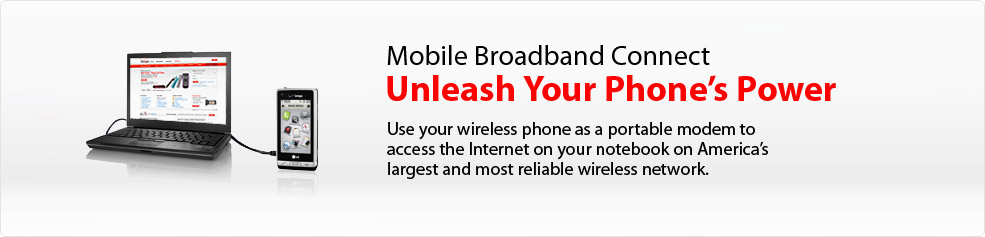
When you use your mobile phone or smartphone as a wireless modem for your laptop, this is called tethering. Some carriers have specific names for this (Verizon calls this Mobile Broadband Connect), but we'll just call it tethering.

So, if you don't have access to Wi-Fi, you can pull our your smartphone and get online with your laptop. You can do this either by connecting your smartphone to your laptop via a USB cable or by using Bluetooth wireless technology.

The benefits of using a USB cable include:
  • Generally a much faster connection
  • Generally a more stable connection
  • Preserve battery life in your smartphone
The benefits of using Bluetooth include:
  • No need to carry a USB cable
  • More mobility if you're moving around while tethered
When I tether, I almost always use a USB cable. I rarely use Bluetooth to tether because the connection speed is significantly faster when I use USB. Also, I can keep my phone charged while I'm using it as a modem. 

Here are some tips and suggestions if you tether:
  • Turn off your Wi-Fi to preserve battery life on your notebook
  • Always carry a spare USB cable since you never know when you'll need to tether
  • Don't have Bluetooth on your laptop? Get a tiny USB "dongle" so that you can have access to wireless tethering when you need it.
  • Check out PdaNet and TetherBerry.