Showing posts with label wi-fi. Show all posts

Sunday, February 17, 2013

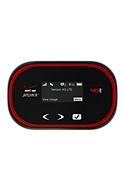
Verizon MiFi and Jetpacks 4G LTE connect up to 10 devices

I have an older Verizon MiFi that connects only 5 devices. The Wi-Fi hotspot is capable of 4G LTE, but it's an older version (MiFi 4510L). It still works fine, so I'm not upgrading anytime soon.

The newer Verizon 4G LTE hotspots are capable of connecting up to 10 devices. So, if you're traveling with friends, family, or co-workers, you can get your tablets and laptops online through a single hotspot.

Here are 3 of their current models:
  • Verizon Jetpack™ 4G LTE Mobile Hotspot MiFi® 5510L
  • Verizon Jetpack™ 4G LTE Mobile Hotspot MiFi® 4620LE
  • Verizon Jetpack™ 4G LTE Mobile Hotspot 890L

Wednesday, July 27, 2011

Force your MiFi 4510L Mobile Hotspot into 3G (EVDO) or 4G (LTE) mode (WWAN Settings)

The other day, I wrote about how my Verizon MiFi 4510L Mobile Hotspot was stuck on 3G (EVDO) and was not switching to 4G (LTE). If you're experiencing similar issues, make sure to read this.

For those of you wanting to manually switch your Wi-Fi Mobile Hotspot from 3G to 4G (or vice versa), here's a simple tutorial that outlines the steps that will help you do that.

  • Connect to your MiFi
  • Log in to your MiFi by typing this URL into your browser: http://192.168.1.1/
  • Click on "Setup Wizard"
  • The default password is "admin" (unless you've changed it)
  • When it asks you to set up a new password, click "cancel"
  • Now you'll see that you have several new menu options at the top red horizontal navigation bar: Home, Wi-Fi, LAN, WWAN, Security, Advanced

Monday, July 25, 2011

Verizon MiFi 4510L Mobile Hotspot on 3G (EVDO) & not switching to 4G (LTE)? Here's a solution.

I have a Verizon MiFi 4510L Mobile Hotspot and recently I experienced the issue where my device was stuck on 3G (EVDO) and was not switching to 4G (LTE) even though I knew that 4G service was available. The device indicator light was blinking purple/violet instead of green. This is apparently a known problem for this device. So, if your device isn't switching to 4G, it's not defective. Resetting the device won't do anything.

Here's how I got it back to 4G (LTE):

  • Connect to your MiFi
  • Log in to your MiFi by typing this URL into your browser: http://192.168.1.1/
  • Click on "Setup Wizard"
  • The default password is "admin" (unless you've changed it)
  • When it asks you to set up a new password, click "cancel"
  • Now you'll see that you have several new menu options at the top red horizontal navigation bar: Home, Wi-Fi, LAN, WWAN, Security, Advanced

Now, you'll want to click on WWAN -> and then go to the "WWAN Settings" at the bottom of the page.
  • Under the WWAN Preferred Mode, select "LTE only"
  • Then, click "apply" and the device will reboot.
My understanding is that this is a temporary fix. Therefore, you may need to do this periodically if you move into areas where you only have 3G coverage. The MiFi could have a tendency to get "stuck" in 3G mode and it needs to manually get moved back to 4G using the steps outlined above. 

Wednesday, May 18, 2011

Free Wi-Fi hotspot tethering on the HTC ThunderBolt 4G

Verizon Wireless has been gracious to extend the free Wi-Fi hotspot tethering on the HTC ThunderBolt 4G. So, you can continue to use your ThunderBolt as a MiFi for free until June 15. Perhaps Verizon is still trying to finalize how much it will cost to tether on their 4G LTE network.

Tuesday, May 10, 2011

New Integer Wireless Experience Center Empowers Enterprise Decision-Makers

Developed with Cisco, Corning Mobile Access and 10 other partners, the 10,000-square-foot facility provides a rare, hands-on opportunity to vet and custom-build in-building cellular and Wi-Fi solutions

Newport Beach, Calif. – May 10, 2011 – As the selection of wireless products, networks and services grows, so does the challenge of assembling a solution that meets each enterprise’s unique, frequently challenging in-building requirements. To help CIOs, IT managers and other decision-makers make smart choices, Integer Wireless today founded the Integer Wireless Experience Center, a 10,000-square-foot facility providing a rare, hands-on opportunity to test a wide variety of enterprise-grade wireless solutions from more than 100 vendors, application developers and service providers.

Over the past 16 years, Integer Wireless has led more than 1,000 in-building and campus-wide wireless projects for clients such as Apple, Coors Field, Denver Department of Health, Kaiser Permanente, Hoag Hospital, Hyatt, Intel, NASA and Walmart. The company specializes in designing, installing and optimizing vendor-, operator- and technology-agnostic wireless solutions for a variety of verticals, including health care, general enterprise, sports and entertainment venues, retail stores, government and hospitality.

Tuesday, February 08, 2011

Battery life when using my Droid X as a 3G Wi-Fi Mobile Hotspot

The Droid X and many other smartphones are capable of turning themselves into 3G Wi-Fi Mobile Hotspots that allow you to connect up to 5 mobile devices. When you enable this feature, you'll get a notice reminding you that this feature will drain your battery very quickly, so you should plug your phone to a power source.

A few weeks ago, I was using my Droid X every day as my personal hotspot. I was using an external battery pack, so I had the ability to recharge my battery during the middle of the day. If I didn't have that battery pack, my phone would have died by noon.

The 3G mobile hotspot on the Droid X is a great feature, but it would be nice to see a higher level of battery efficiency in these devices. The MiFi 2200 is rated to 4r hrs and the Fivespot Global Ready 3G hotspot lasts 5 hrs, so those devices aren't great either unless you're carrying a separate battery pack.

Monday, January 31, 2011

Speed differences: Verizon USB tethering vs. 3G Wi-Fi Mobile Hotspot

I have a Motorola Droid X and I've been using the 3G Wi-Fi mobile hotspot feature so that I can get online with my laptop and my iPad. In the past, I used to tether using the USB cable.

Well, I did a speed test because I was convinced that 3G Wi-Fi Mobile Hotspot was slower than USB tethering. Sure enough, with 3G Wi-Fi Mobile Hotspot, I was experiencing download speeds of 0.5 Mbps. With USB tethering, the speeds were almost 3x faster! 1.3 Mbps.

Are you experiencing similar results?

Thursday, January 27, 2011

A mixed experience using the Droid X as a 3G Mobile Wi-Fi hotspot

I've been using my Motorola Droid X as a mobile Wi-Fi hotspot. The extra $20/month service fee is worth it if you'll be traveling and if you need to connect up to 4 devices to the Verizon Wireless 3G network.

Overall, the 3G Mobile Wi-Fi hotspot feature works fairly well, as long as you have a strong signal to the Verizon network. I've been relatively happy. occasionally, I've found the service to stop, even when I have a strong signal, so I'm not entirely sure why that's been happening. I'll have to do a few more tests to determine how frequently that's happening.

Plus, I'm also finding that the connection speed may slow down. When I restart the 3G mobile hotspot feature, then the connection speed resets back to normal.

The 3G mobile hotspot feature will drain your battery relatively quickly, so be prepared with an extended battery or an external battery pack. I'm using a Tekkeon battery pack that can charge my Droid X or my Apple iPad, so I've got plenty of battery power.

Thursday, July 22, 2010

Android 2.2 (Froyo) is fast and includes some great features

The other day, I had the chance to play around with an Android smartphone loaded with Android 2.2 (Froyo). As reported by other bloggers, Android 2.2 is faster, it includes some nice new features (like support for Adobe Flash 10.1) and:
  • New Home screen tips widget
  • Exchange support
  • Portable Wi-Fi hotspot
  • Multiple keyboard languages
  • Improved browser performance
  • faster app switching
  • smoother performance on memory-constrained devices
  • Voice dialing over Bluetooth
  • and more.
So, are you an early adopter? You can search the XDA-Developers forums to see if someone is cooking up an Android 2.2 ROM for your smartphone. Most of the newer Android devices will probably receive the update to Froyo, but if your phone isn't on the list, then maybe it's time to load a custom ROM so that you're not left behind.

Tuesday, June 29, 2010

3 Reasons Not to Use Your Smartphone as a Wi-Fi Hot Spot

You've probably heard that can use certain 3G (and now 4G) smartphones as a Wi-Fi hot spot. Is this a good feature or a bad one?

Here are 3 reasons why this is not a good idea:
  1. You have to pay an extra fee to use your smartphone as a Wi-Fi hot spot. You can tether (using a USB cable or Bluetooth) for less.
  2. You'll be draining the battery on your smartphone and your laptop at a faster rate if you're using Wi-Fi compared to a USB cable. If you tether using a USB cable, then you can keep your smartphone charged.
  3. Your friends will want to share your data connection, so that will only slow you down. We all like to share, don't we?
So, what do you think? Is it worth it to use your smartphone as a Wi-Fi hot spot? I think I'll stick to USB cable tethering.

Friday, May 21, 2010

Android 2.2 Froyo includes Adobe Flash 10.1 support

Good news for all you Android users: Android 2.2 (also know as Froyo) includes Adobe Flash 10.1 support. Just when Verizon HTC Droid Eris users got their upgrades to 2.1, Google announced that Android 2.2 will be coming soon. You'll get a faster web browser, tethering, the ability to install apps to your storage card, and more. Tethering won't be limited to USB cable tethering. You can convert your Wi-Fi enabled Android smartphone into a Wi-Fi hotspot.

Tuesday, May 04, 2010

Unlimited Skype-to-Skype calls on Verizon Wireless

Verizon Wireless is advertising "Unlimited Skype-to-Skype calls." Smartphones that are capable of Skype Mobile include a long list of smartphones running Google Android and BlackBerry. Sorry Windows Mobile and webOS users. Your devices aren't on the list right now. Let's hope that changes soon.

In the past, people relied on Wi-Fi connections to use Skype. Now, you can use your 3G connection (without doing any hacking or modifications to your phone). This is a great feature for medical students, international medical graduates who still have family members overseas, and for cost-conscious physicians who want to save on phone bills and international calls. 

To learn more, visit  http://phones.verizonwireless.com/skypemobile/

Sunday, February 14, 2010

Cell phone use on an airplane

Over the past few days, I spent time on several different airplanes trying to reach my final destination (Dallas, TX) for a wedding. Unfortunately, I never made it there, so we ended up flying all over the country to various small and large cities. Each time I flew, I had to set my smartphone to "airplane mode." Now that we have Wi-Fi on many airplanes, I wonder if (or when) we'll have the freedom and ability to use our smartphones while we're in flight. I suppose I could pay for the in-flight Wi-Fi services, but I'd rather tether with my smartphone.

Sunday, February 07, 2010

Medscape iPhone app upgraded to v2.0


Medscape has updated its iPhone app to version 2.0. Here's the scoop:
Introducing Clinical Reference with Images & Videos
Simply update your Medscape iPhone App to Version 2.0 – absolutely FREE!


Have all the answers in the palm of your hand with Medscape's FREE clinical & drug reference App for iPhone® & iPod touch®.


NEW – Clinical Reference featuring:
- Continually-updated clinical reference covering 3,200+ diseases, conditions, and procedures
- Articles enhanced with multimedia including 2,500+ images, 150+ videos, and more
- Peer-reviewed, evidence-based content authored by leading experts
- Detailed step-by-step instructions on clinical procedures
- Access anywhere – no Internet connection required

EXPANDED Drug Reference with:
- 6,000+ brand and generic drugs
- 1,000+ over-the-counter (OTC) drugs
- 1,000+ herbals & supplements
- Access detailed drug information in seconds; plus, check interactions for up to 30 entries at once
Have you tried the Medscape iPhone app? What do you think of it? (not to be confused with the WebMD app, since Medscape is a part of WebMD)

I think it's great to see that you can now access so much content when you're offline. Traveling on the plane? No Wi-Fi? You can access 3,200+ clinical reference articles offline. Of course, to view the 2,500+ images or 150+ videos, you'll need an Internet connection.

Wednesday, January 13, 2010

Wired vs. wireless tethering (USB vs. Bluetooth)

When you use your mobile phone or smartphone as a wireless modem for your laptop, this is called tethering. Some carriers have specific names for this (Verizon calls this Mobile Broadband Connect), but we'll just call it tethering.

So, if you don't have access to Wi-Fi, you can pull our your smartphone and get online with your laptop. You can do this either by connecting your smartphone to your laptop via a USB cable or by using Bluetooth wireless technology.

The benefits of using a USB cable include:
  • Generally a much faster connection
  • Generally a more stable connection
  • Preserve battery life in your smartphone
The benefits of using Bluetooth include:
  • No need to carry a USB cable
  • More mobility if you're moving around while tethered
When I tether, I almost always use a USB cable. I rarely use Bluetooth to tether because the connection speed is significantly faster when I use USB. Also, I can keep my phone charged while I'm using it as a modem. 

Here are some tips and suggestions if you tether:
  • Turn off your Wi-Fi to preserve battery life on your notebook
  • Always carry a spare USB cable since you never know when you'll need to tether
  • Don't have Bluetooth on your laptop? Get a tiny USB "dongle" so that you can have access to wireless tethering when you need it.
  • Check out PdaNet and TetherBerry.

Thursday, November 05, 2009

BlackBerry Curve 8530


The BlackBerry Curve 8530 will be appearing on Verizon Wireless and Sprint. The best part about this particular smartphone is its price: less than $100. Forget the little trackball. This new model has the optical trackpad. I wonder if that will reduce or increase the incidence of any repetitive motion injuries related to people cranking the trackball or repeatedly pressing buttons on a 4-way navigation D-pad.

The Curve 8530 will come with the BlackBerry operating system version 5.0 and will have your standard BlackBerry screen (not a touch-screen). T-Mobile has a very similar version: the BlackBerry Curve 8520.

I'm a big fan of touch-screen navigation, so you'll never see me carrying one of these. However, if you're looking for an inexpensive BlackBerry that also includes Wi-Fi and GPS, then the Curve 8530 is a nice option.

Tuesday, October 20, 2009

BlackBerry Storm 2 will launch tomorrow (Oct 21)


The rumors are true. The BlackBerry Storm 2 will launch tomorrow (Oct 21) on Verizon Wireless. Are you excited? The Storm 2 will have Wi-Fi capabilities, and it may also serve as a Wi-Fi router (similar to the MiFi).

Saturday, August 29, 2009

Weekend visit to the Sprint Store


Over the weekend, I had the chance to walk around the mall with my family. Naturally, I'm drawn to all the mobile phone stores and kiosks to see all the latest and greatest smartphones that are on the market. I spent a fair bit of time at the Sprint Store playing around with the Palm Pre. I know several people who have the Pre and they seem to really like it. I admit that the device has a very appealing design. It's simple, yet sophisticated. I really enjoyed playing around with webOS. It's a sleek OS that allows you to multi-task effectively.

I also had fun playing around with the MiFi. That's a tiny portable Wi-Fi hotspot that easily slips into your pocket. Of course, if you really want to set up a Wi-Fi hotspot, you don't need the MiFi. You simply need a customized smartphone that has built-in Wi-Fi (probably need a custom ROM on that smartphone).

Thursday, August 27, 2009

Using Skype on a smartphone


Have you tried using Skype on a smartphone? Using Skype, you can make free calls through the Internet. You can also pay $3/month to make unlimited calls to anyone in the U.S. or Canada (including mobile phone numbers). Although Skype software for mobile devices such as smartphones has been in beta mode for a while, they now have Skype for the following mobile devices:
By using Wi-Fi, you can use the Internet to make free calls. This way, you don't use up your airtime and you can use your Wi-Fi enabled smartphone for Skype. There's also something called Skype Lite, but that's mainly for other types of phones (including the G1 which is in beta).

To learn more about Skype for your mobile phone, visit: http://www.skype.com/mobile/

Thursday, August 20, 2009

Hidden smartphone "gems" at Verizon Wireless


I don't understand why Verizon Wireless stores and kiosks don't stock more smartphones. They have a decent selection of Windows Mobile smartphones online, but if you walk up to a kiosk or go to an average store, you won't find some of the best smartphones that are available on Verizon Wireless. Why?

If you're on a budget and you don't need the "latest and greatest," then let me make a few suggestions for some great Verizon smartphones that are "hidden" from many people:
  • XV6900. This smartphone is made by HTC and is also known as the "Touch" or "Vogue." It's a simple smartphone, but it's snappy, small, light, and has a touch-screen. It runs Windows Mobile and has a built-in GPS (that won't work unless you "unlock" it by flashing custom ROMs and doing a bit of tweaking - not for beginners). The camera is nice if you want to take a picture of a patient's rash (get permission first). I have one and I really like it. No Wi-Fi on this tiny phone. Verizon is getting rid of them, so I don't know how much longer they will be around. You won't find this in any of the stores.
  • HTC Touch Pro. Here, Verizon decided to keep the name "HTC," even though this phone is also classified as the XV6850 (but I don't think anyone knows that). This slider is a great phone that also has a built-in GPS (Verizon unlocked it, so you're free to use it on Google Maps or TomTom). Touch-screen, Windows Mobile, and this device has a high resolution screen (may be a bit too high res for some of you). The camera on this device also includes an LED flash. You won't find this in any of the stores.
  • HTC Touch Diamond. This is like the Touch Pro, but it lacks the slide-out keyboard. So, this is a very thin phone that's like a "professional" version of the XV6900 with a high res screen. You'll get Wi-Fi and GPS (but you'll have to do a bit of tweaking to unlock the GPS) on this device. Simple camera without an LED flash.
So, what do we have in common with all these smartphones? They're all made by HTC, they all run Windows Mobile, they all have touch-screens, they all have cameras, and they all have an internal GPS chip (although you may need to do some modifying to get the internal GPS to work).

Why didn't I mention the HTC Ozone? You'll see this in the stores, but this smartphone lacks a touch screen. If you're planning on running medical software, you'll be much more productive if you have a smartphone that has a touch screen. Avoid getting anything that lacks a touch screen.

Keep in mind that several new smartphones are coming to Verizon this fall and next spring. So, if you're eager to have the latest devices, then you're better waiting until some of these new devices emerge.